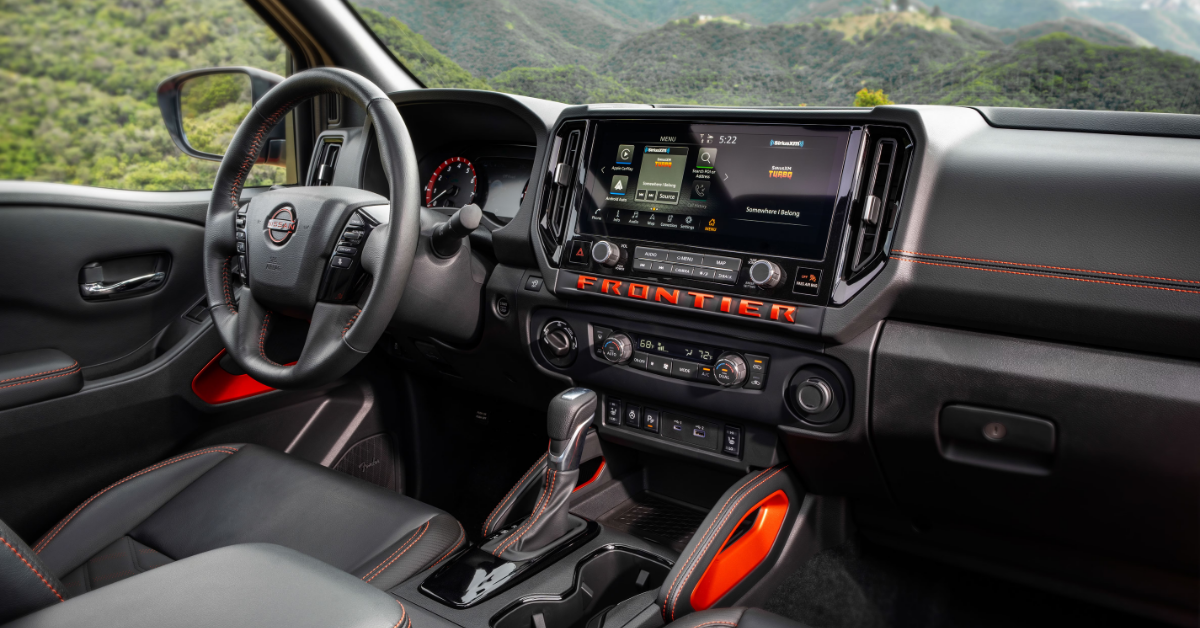
At Nissan of Van Nuys, we’re proud to serve drivers throughout Van Nuys, Valley Glen, Studio City, and Burbank with everything you need for your Nissan. From new and pre-owned vehicle sales to expert service, genuine parts, and reliable repairs, our team is here to keep you moving with confidence. Whether you’re interested in the latest Sentra, Kicks, or Frontier, or need help maintaining your current vehicle, our dedicated staff is ready to assist. Give us a call or contact us today and let us take care of your automotive needs.
Wireless charging has become one of the most convenient features in modern vehicles, allowing you to power up without tangled cords or extra accessories. But when it suddenly stops working, it can feel like more of a hassle than a help. Drivers often wonder if the issue lies with their phone, the charging pad, or the vehicle itself.
The good news is that most problems are easy to solve once you know what to look for. From compatibility concerns and pad misalignment to overheating and electrical settings, understanding the most common reasons behind Nissan wireless charging not working can save time and frustration. With the right steps, you’ll have your Sentra, Kicks, or Frontier charging properly again in no time. Visit Nissan of Van Nuys and explore our wide selection of new vehicles.
6 Reasons Why Your Nissan Wireless Charging System Is Not Working
1. Phone Compatibility
One of the most common reasons for Nissan wireless charging not working is phone compatibility. Not every smartphone can use a Qi wireless charger. If your device does not support this feature, the pad in your Sentra, Kicks, or Frontier will not charge it.
Some phones can use wireless charging, but the case around the phone may block the signal. Thick cases, or ones made with metal, are often the cause of Nissan device charging problems.
When troubleshooting a Nissan wireless charger, start by checking these points:
- Confirm your phone supports Qi wireless charging
- Remove heavy, bulky, or metal cases.
- Test with another Qi-capable phone to rule out 2025 Nissan charging pad issues.
If your phone works with other chargers but not inside your vehicle, it may be time for Nissan Qi charger troubleshooting. A Nissan service center can test the pad and ensure the system is working as designed.
2. Misalignment on the Charging Pad
Even if your phone is compatible, placement matters. A phone that is off-center will not charge. Many drivers think the system has failed, but often the issue is just misalignment.
When Nissan wireless charging is not working, try adjusting the phone. The charging pad in a Sentra, Kicks, or Frontier has a specific zone. If the device is not aligned with this zone, power will not transfer.
Signs of Nissan device charging problems caused by poor placement include:
- The charging icon does not appear on the phone screen.
- The light on the pad does not turn on.
- The phone connects, then stops charging after a few seconds.
- Simple steps for troubleshooting a Nissan wireless charger include:
- Remove the phone and place it back slowly.
- Shift the phone slightly forward or back.
- Test with the phone in a different case or without one.
If alignment checks do not solve the issue, there may be 2025 Nissan charging pad issues or a need for Nissan Qi charger troubleshooting at a service center.
3. Charging Pad Obstructions
Another reason for Nissan wireless charging not working is something blocking the pad. Even small items can stop the signal from reaching your phone.
Common things that lead to Nissan device charging problems include:
- Keys or coins left on the pad
- Plastic cards or receipts
- Dust, dirt, or small debris
When objects are in the way, the pad cannot make a clean link. This can cause 2025 Nissan charging pad issues that look like a system fault but are not.
To prevent these problems, try these steps:
- Keep the pad clear at all times.
- Wipe the pad with a clean, dry cloth.
- Check that no loose items slide into the area while you drive.
If the pad is clear and the issue remains, then it may be time for Nissan Qi charger troubleshooting. A quick visit to a service team can confirm if the charging unit in your Sentra, Kicks, or Frontier needs attention.
4. Electrical or Vehicle Settings
Sometimes the reason for Nissan wireless charging not working has nothing to do with the phone or pad. The issue may be in the vehicle’s settings.
Wireless charging in a Sentra, Kicks, or Frontier will not work if the car is fully off. The system is designed to run only when the vehicle is on or in accessory mode.
Other settings can also create Nissan device charging problems. Some models include wireless charging controls within the infotainment screen. If the feature is off, the pad will not supply power.
Steps for troubleshooting a Nissan wireless charger include:
- Start the vehicle or switch to accessory mode.
- Open the infotainment screen and check charging settings.
- Restart the car if settings seem correct but the pad still does not work.
If these checks do not fix the issue, the next step may be Nissan Qi charger troubleshooting at a service center. A technician can confirm if the problem is software-related or due to 2025 Nissan charging pad issues.
5. Overheating or Safety Shutoff
Heat is another reason for Nissan wireless charging not working. Both the phone and the charging pad can get too hot during use. When this happens, the system will pause to protect the device and pad.
Many drivers in areas with warm weather see this issue more often. In a Sentra, Kicks, or Frontier parked in the sun, heat can build fast. The pad will then shut off charging to avoid damage.
Signs of Nissan device charging problems caused by heat include:
- The phone feels warm to the touch.
- Charging stops without warning.
- Charging resumes after the phone or pad cools.
- Simple steps to avoid heat-related shutoff:
- Remove the phone case if it traps heat.
- Keep the car’s air system on when charging.
- Let both the phone and pad cool before trying again.
If these steps do not help, troubleshooting a Nissan wireless charger with a technician may be needed. Some 2025 Nissan charging pad issues may look like heat problems but come from hardware faults. In that case, Nissan Qi charger troubleshooting at a service center is the best next step.
6. Technical or Hardware Problems
If basic steps do not help, the cause may be hardware. Internal parts of the pad can wear out or fail. This can lead to Nissan wireless charging not working even when the phone is fine.
Owners of a Sentra, Kicks, or Frontier may notice the pad never powers on. In some cases, the pad light may blink or stay off. These are signs of deeper issues that need more than simple fixes.
Common Nissan device charging problems linked to hardware include:
- Loose wiring in the charging unit
- A pad that no longer connects to the power source
- Damaged internal coils in the charging pad
When this happens, troubleshooting a Nissan wireless charger at home may not work. These problems often need trained help. A Nissan service team can run Nissan Qi charger troubleshooting to test the pad and wiring. If needed, they can replace faulty parts. This is the best way to resolve 2025 Nissan charging pad issues that come from technical faults.
Frequently Asked Questions About Nissan Wireless Charging Problems
Why isn’t my Nissan wireless charger working?
The charger may not work due to phone compatibility, misalignment on the pad, obstructions, heat shutoff, or hardware issues.
Can a phone case prevent charging?
Yes. Thick or metal cases can block the signal and stop the phone from charging.
How do I reset the charging system?
Most Nissan models do not have a manual reset for the wireless charger. Restarting the vehicle or disconnecting the battery for a short time may reset the system.
Is there a fuse for the wireless charging pad?
Yes. Many Nissan models have a fuse linked to the wireless charger. The location can vary, so it is best to check the owner’s manual. When should I contact a dealer for repairs? – If the pad will not work after checking alignment, phone compatibility, obstructions, and settings, it is best to contact a dealer.
Visit Nissan of Van Nuys Today
If your wireless charger is giving you trouble, our team is ready to help. At Nissan of Van Nuys, we proudly serve drivers from Van Nuys, Valley Glen, Studio City, and Burbank with trusted support and care. Whether you are shopping for a new model or need help with your current one, we invite you to explore our wide range of vehicles. You will find popular options like the Nissan Sentra, Kicks, and Frontier, along with many more choices designed to fit your needs.
We know that even small issues can feel like a big deal. A Nissan car door stuck at the wrong time can add stress to your day. A Nissan collision light blinking may leave you unsure of what to do next. Even something as routine as knowing which Nissan fluids to check can make a difference when it comes to saving time and money. These small details matter, and we are here to guide you through them.
If you are facing problems, our team can walk you through simple fixes or let you know when service is best. Stop by to meet with us in person or continue reading through the helpful guides on our site. You will find tips and advice, such as how to handle a Nissan no key fix, that can make life behind the wheel easier. From routine care to unexpected problems, we are committed to giving you the right answers and the right support every step of the way. Contact us or visit Nissan of Van Nuys for more information.
Get Directions to Nissan of Van Nuys
Disclaimer: All information is provided for general informational and entertainment purposes only. While we strive for accuracy, we cannot guarantee that all content is complete, current, or error-free. Any reliance you place on such information is strictly at your own risk. This article may include opinions and is not endorsed by, or officially affiliated with, any vehicle manufacturer or brand. Always consult official sources – such as the vehicle’s owner’s manual, authorized dealerships, or certified professionals – for the most up-to-date and personalized information.
 VIN: 1N4BL4BV1LC180288